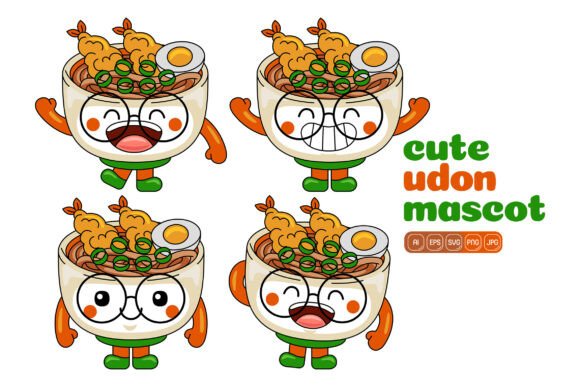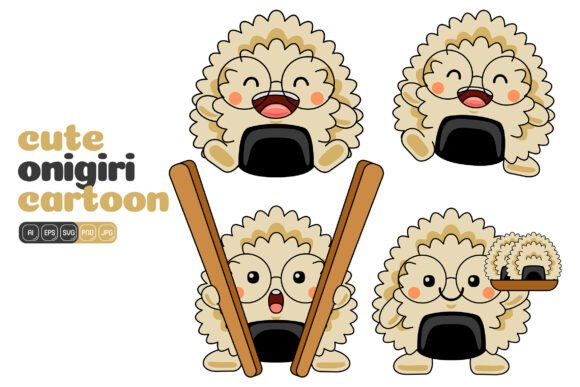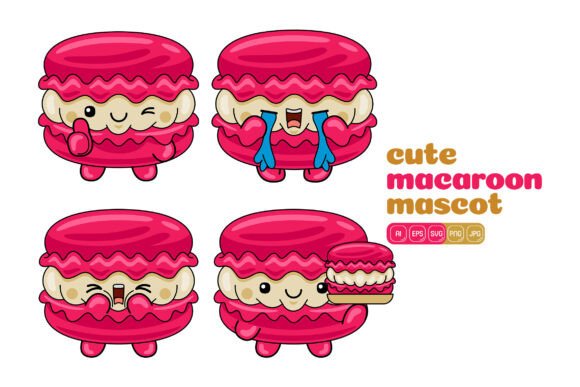
Cute Macaroon Mascot Vector Pack 04
What’s Inside This Delightful Vector Collection?
At first glance you might see a set of sweet macaroon characters, but this asset is far more versatile than a single theme implies. The Cute Macaroon Mascot Vector Pack 04 delivers 100 distinct vector illustrations built in a clean flat design style. Every component—faces, sprinkle details, expressive eyes, and decorative accents—is drawn as an independent shape. That means you can resize any element to fit a tiny social media icon or a large-format print banner without losing crispness. You also get the freedom to recolor each piece individually, so a pink raspberry macaroon can become a mint green matcha version in seconds.
The download bundle supports a wide range of workflows: editable AI and EPS files for Adobe Illustrator users, SVG files for those working with modern web tools or open-source editors, a high-resolution PDF, plus raster formats. A 3000 x 3000 pixel JPG sits ready for quick use, and a transparent-background PNG lets you drop a mascot directly onto any layout. For people who need to build infographics, social media posts, printed materials, website heroes, landing pages, or advertising banners, this structure reduces repetitive work. Instead of hunting down multiple illustrations, you have one cohesive set that can be mixed, matched, and customized repeatedly.
Who Benefits Most from a Macaroon Mascot Theme?
Despite the playful appearance, the value of a character-based illustration pack reaches far beyond one type of user. People assess it differently depending on what they create, how much time they have, and what commercial flexibility they need. For some, the top priority is saving hours of design effort. For others, it’s about having consistent assets that don’t require hiring an illustrator. Still more see it as a way to add approachable personality to otherwise dry content.
Let’s walk through a few perspectives so you can spot where your own needs overlap.
For Small Business Owners and Marketers
If you run a bakery, café, or confectionery brand, the macaroon mascots are a natural storytelling tool. Even if your product isn’t sweets, though, the friendly vibe can soften a tech brand’s tone or make a wellness coach’s newsletter feel more personal. The flat design style is easy to pair with modern sans-serif fonts and minimal layouts, so you don’t need advanced design skills to maintain brand cohesion. Because you can change every color, you can match the mascots to your existing palette—eliminating fears of clip-art looking “off brand.” The transparent PNG files are especially helpful for adding a playful watermark or sidebar character to an email template or product page without fighting background colors.
For Bloggers and Social Media Creators
Content creators often need a recurring visual device that makes posts recognizable in a crowded feed. A set of expressive macaroon characters can turn a standard announcement into a scroll-stopping graphic. Use one cheerful macaroon to celebrate a milestone, a blushing version for a “confession” post, or a sleepy-eyed one for a late-night tip. The 100 vector illustrations offer enough variety to keep your feed from looking repetitive. Creators short on time will appreciate the high-resolution JPG files that are instantly ready for scheduling apps, while those who want deeper customization can open the AI file and tweak expressions or combine elements to build new scenes. This flexibility means a beginner can achieve polished results, while an experienced designer never feels boxed in.
For Educators and Non-Profits
Learning materials and community campaigns often struggle to engage audiences with limited visual budgets. A pack like Cute Macaroon Mascot Vector Pack 04 can transform a straightforward worksheet into something younger students or adult learners actually want to interact with. Use the same mascot character throughout a module to guide learners, appear in feedback prompts, or mark progress checkpoints. Because the EPS and PDF files are included, printing a banner or flyer for a school event or fundraiser doesn’t require extra conversion steps. The flat colors also reproduce well even on home printers, keeping quality consistent whether your materials are viewed on screen or in hand.
For Hobbyists and DIY Crafters
Not every person who buys illustration assets is a professional. Many are hobbyists making party invitations, scrapbook elements, or birthday decorations. The transparent PNG files and scalable SVG format work beautifully with home cutting machines and print-at-home projects. A parent planning a macaron-themed baby shower can combine the characters to create cupcake toppers, favor tags, and a welcome sign—all from one consistent design source. Since each shape is editable, you can easily isolate the elements you need without cluttering your canvas, a detail that matters when you’re crafting specific items rather than full-page layouts.
Practical Design Scenarios Where the Pack Shines
Understanding how the pack functions in real situations helps you decide if the asset aligns with your typical tasks. Below are a few uses that reflect common creative and business challenges.
Creating Consistent Branding Materials
Imagine you’re designing a loyalty card, a menu, and an Instagram carousel for a café. You want the illustrations to feel linked but not identical. By pulling different poses and expressions from the same mascot set, you create variety without breaking the visual system. Because the vector files allow you to add your own typography or reshape outlines, you can even embed a store name into a macaroon character’s “body” as a subtle branding touch. The EPS and AI formats ensure your print provider receives a file that meets professional specifications, eliminating blurry rasters in final output.
Whipping Up Presentations and Pitch Decks
Pitch decks often suffer from generic stock photos that feel disconnected from the message. A few well-placed mascot illustrations can serve as section dividers, bullet point markers, or theme anchors. For a food-tech startup, a macaroon character holding a tiny tablet or microphone (built by combining shapes from separate vectors) can ground a slide in a friendly metaphor without being cartoonishly childish. The PDF file makes it easy to insert a slide-ready graphic directly into presentation software, while the editable AI file lets you update colors on the fly if the deck’s palette shifts right before a meeting.
Adding Charm to E-Learning and Tutorials
Online course creators and instructional designers constantly search for visuals that explain concepts without distracting. Using a familiar mascot that reappears in different poses helps learners navigate content intuitively. For example, the same macaroon character might “hold” a checkmark for a success message, wear a thinking cap for a reflection prompt, and wave as a welcome graphic. The ability to resize without quality loss means these small illustrations stay sharp on high-resolution tablets and phones. Beginners will find that the JPG and PNG options cover most of their needs; advanced users can dive into the AI or SVG source files to build custom animations or interactive elements for e-learning platforms.
Key Qualities That Make This Resource a Smart Pick
No single asset fits every project, but understanding how specific features translate to real-world advantages helps you narrow down your choice. This pack’s design and technical decisions reflect a few clear priorities.
File Flexibility for Any Workflow
Receiving a single file type often locks you into a particular software or device. Here the bundle includes AI, EPS, SVG, PDF, JPG, and PNG formats, covering everything from Adobe Illustrator to free browser-based editors to office presentation tools. Someone who only uses Canva can upload the SVG or PNG without any lost quality. A developer who wants to use a macaroon icon as a lightweight web asset will reach for the SVG. A professional printer typically asks for EPS or high-resolution PDF, both of which are included. This multiplicity respects the reality that one person often wears many hats and may not always work inside a full Adobe suite.
Customization Without the Steep Learning Curve
“Easy to edit” sounds like a throwaway phrase, but in this case the flat design style genuinely lowers the barrier. Without complex gradients, blends, or photographic layers, each shape is a clean vector you can select with a single click. Color changes take seconds. Resizing a character from a business card to a storefront sign keeps edges sharp. Even a complete beginner can open the AI file in Illustrator, ungroup a few elements, and mix heads, bodies, and accessories to build a new mascot that doesn’t exist in the original 100. This creative safety net matters a lot when you need something unique quickly and don’t have time to start from scratch.
Resolution and Format Support for Print and Digital
The 3000 x 3000 pixel raster files balance file size and usable dimensions for most screens and moderate print sizes. The vector files, by definition, scale infinitely—so a billboard or a high-DPI mobile screen is no problem. Having the PDF as a bonus format also means you can open and use the illustrations in software like Photoshop or Acrobat without conversion tools. For many users, this reduces friction during fast-turnaround projects.
Matching the Pack to Your Skill Level and Goals
Different experience levels will approach the same asset with different questions. If you’re a beginner, your main worry might be, “Will I be able to make this look good, or will I spend hours stuck?” The pack’s flat design style and pre-isolated elements help you avoid the complexity of shading or blending modes. You can start with the PNG files, place them into your document, and still achieve a clean, modern outcome. As confidence grows, you can move into the editable formats to explore more creativity without having to purchase additional resources.
For intermediate users who are comfortable with vector tools but crunched for time, the collection acts like a head start. Instead of drawing macaroon characters from scratch, you find a base illustration and adapt it. Perhaps you need a dental clinic’s social post: recolor a happy macaroon to match the brand’s teal, add a toothbrush shape from another vector you own, and you have a one-of-a-kind graphic that took minutes. The commercial clearance that typically comes with asset packs of this nature (always review the specific license) means you can use the result in client work without tracing every origin of every line.
Advanced designers may view this pack not as a final asset but as a springboard for motion graphics, pattern design, or icon system development. The SVG format integrates with animation tools, and AI files can be exported to other software for custom mesh or isometric experiments. Even at this level, the time saved by not having to ideate and sketch 100 unique mascot concepts from a blank page holds real value.
Making the Choice: Is This the Right Illustration Kit for You?
Instead of asking whether the Cute Macaroon Mascot Vector Pack 04 is universally ideal, ask what you’re trying to avoid. Are you tired of mismatched clip art that cheapens your brand? Do you regularly repeat the same illustration purchase for each new project because older assets aren’t flexible enough? Are you looking for a way to bring warmth into materials without crossing into overly juvenile territory? If those pain points resonate, the pack’s combination of volume, editable structures, and output formats likely addresses them.
On the other hand, if your brand demands photographic realism or ultra-minimalist icon systems, a mascot-based set might feel out of step. That discerning eye is exactly what makes asset selection work: knowing when a tool fits your visual language rather than fighting against it. For everyone else—from the freelance marketer building a campaign to the educator printing classroom visuals to the hobbyist crafting a memorable event—the mix of cuteness, clean design, and professional file support turns this vector pack into a resource that keeps giving across multiple projects.